Tampilkan postingan dengan label aplikasi. Tampilkan semua postingan

Sabtu, 23 April 2011

Squeezebox Apps come to iOS

Squeezebox Apps come to iOS
Logitech Squeezebox Controller finally launched an application for IOS-based devices in a blog post revealed yesterday.

Squeezebox Controller for iPhone, iPad, iPod Touch to connect and Squeezebox players to users over a wireless network in their home. Users can choose the music, just the title search, and the contents of the App. According to Logitech offers available to all users in one of their players to use.

Launch Squeezebox Controller Application for IOS-based devices comes a month after the company started the program from the Android Market. As IOS option, Logitech Android application the user complete control over the company Squeezebox devices.

Logitech Squeezebox offers a variety of stakeholders, including radio and Duet, which allows users to stream music content throughout the home. They also include access to Pandora, Slacker and other streaming music service.

Radio Squeezebox is a favorite of the Forums team. In 2009, the organization that won four out of five stars, good grades for the amount of content available and user-friendly. It retail for $ 179.99, although the smart shopper it online for less.

Kamis, 21 April 2011

RIM Requiring All BlackBerry App World Version 1.1 Users To Upgrade To Version 2.1

RIM has announced that they are now requiring all BlackBerry users running a version of BlackBerry App World older than version 2.0 to upgrade to the latest version. This is a requirement to anyone that still running version 1.1 or older. Here’s some of the quotes from the Inside BlackBerry blog post:
Starting tonight, existing BlackBerry App World 1.1 users will be required to upgrade to the latest version of BlackBerry App World. This upgrade will affect only a small percentage of current BlackBerry App World users.
As of April 8, when you attempt to access the BlackBerry App World client on your BlackBerry smartphone, you will receive the following message: “You must upgrade your client in order to continue”.
Version 2.1 of App World includes the following improvements and feature enhancements :
  • BlackBerry® ID account syncing
  • Carrier billing (dependent upon user region and carrier), credit card, PayPal® payment support
  • Improved navigation with Top 25 lists and enhanced application carousel
  • App barcode scanning support
  • In-app payment support
If you’re still running a version of BlackBerry App World that’s older than 2.0 you can get the latest version by going to blackberry.com/appworld through your BlackBerry browser.

BlackBerry Desktop Software Updated To Version 6.0.2 With Tablet Support & More

RIM today released a new version of the BlackBerry Desktop Sofware with a few new feature additions as well as a few fixes. The Desktop Software is now at version 6.0.2. Here is a summary of the new features:
  • Tablet support
    You can now use your BlackBerry® PlayBook™ tablet with the BlackBerry Desktop Software: sync your music playlists, pictures, and videos, back up and restore your tablet data, and update your BlackBerry® Tablet OS.
  • First-time connection
    The first time you open the BlackBerry Desktop Software, you can set some of your preferences, such as starting the BlackBerry Desktop Software whenever you connect your device and automatically checking for software updates.
  • Forget device
    You can remove your device from the list of known devices in the BlackBerry Desktop Software through the Device > Forget device menu.
  • Wi-Fi® music sync
    Your album art is now updated wirelessly
For more info go to http://blackberry.com/desktop

UberSocial Twitter Updated To Version 1.191 With Support For Installable Themes & More!

UberSocial Twitter Updated To Version 1.191 With Support For Installable Themes & More!
This version includes the following new features and bug fixes:
  • Support for installable themes with the first one being Uber50
  • Ablity to mute tweets based on keyword
  • Added ‘save’ button to each options screen so users know they can leave at any time and save what has changed
  • Fixed bug where blocking a user could cause an exception
Download OTA :
For 4.2.1 Devices  or  http://bit.ly/fhzKjR (local link)
For 4.3 Devices  or  http://bit.ly/he7JIy (local link)
For 4.5 Devices  or  http://bit.ly/hm5NI1 (local link)
For 4.6 Devices (Bold, new Curves)  or  http://bit.ly/f8iVMG (local link)
For 4.7 Devices (Storm, Tour)  or  http://bit.ly/f5ZyWA (local link)
For 5.0 (Storm, Tour, new Bold, and others)  or  http://bit.ly/fXH (local link)
For 6.0 Devices (Torch, Curve 3G, Pearl 3G)  or  http://bit.ly/fDBj3T (local link)
Desktop Installer :
http://dl.ubersocial.com/1191/UberSocial.zip  or  http://bit.ly/ibqz9O (local link)

Twitter For BlackBerry Version 1.1.0.21 Officially Released

Twitter For BlackBerry Version 1.1.0.21 Officially Released
RIM has announced a new version of Twitter for BlackBerry application. The new version is v1.1.0.21, a little update from the version released in the BlackBerry Beta Zone in March. New feature for the new version:
  • Tweet Location
    Geotagging functionality on Twitter for BlackBerry smartphones is designed to allow BlackBerry smartphone users to add their location to their Tweets. Users can switch location on/off before each tweet.
  • Push @Mentions
    Users can receive immediate notifications, using BlackBerry Push technology, when they are mentioned by another Twitter user. Users can control whether they want to be notified when anyone mentions them or just when their followers mention them.
  • Chat-Style Messages
    Direct Messages has been renamed to Messages to align with the Twitter experience and the interface has been updated to a chat-style layout.
  • #Topic Autocomplete
    The #Topic Autocomplete feature is designed to pop up a list of keywords based on previous hashtagged words in Tweets, Retweets, any hashtagged words selected or searched for in Popular Topics, and in applications like Facebook® for BlackBerry smartphones.
  • Retweet Updates
    Retweets now appear in the Home timeline with a tag of “Retweeted by you” quickly alerting users that their retweet has gone through.
  • New gesture support
    BlackBerry smartphone users with a touch screen device can now refresh page content by simply dragging a finger down the device screen and releasing it.
  • New Language Support
    Twitter for BlackBerry smartphones 1.1 is now available in Czech, Simplified Chinese, Traditional Chinese, Thai, and Polish.
Download OTA :
Blackberry Appworld
Blackberry.com/twitter
OR
For OS 5.0 : http://bit.ly/i5cjKU (local link)
For OS 6.0 : http://bit.ly/eXcRjS (local link)
Desktop Installer :
http://bit.ly/gjicyN (local link)
http://bit.ly/hk3XcM (local link)

BlackBerry Bridge for PlayBook

BlackBerry Bridge for PlayBook
BlackBery Bridge adalah aplikasi yang koneksi BlackBerry smartphone anda dengan BlackBerry Playbook untuk anda bisa browsing email, PIM, apps, BBM dll yang ada di smartphone anda via PlayBook anda. (sepertinya SOTI pocket controller buat tampilkan BlackBerry smartphone di desktop komputer)
Buat user yang sudah beli Playbook via Black market atau langsung dari USA. Silakan download aplikasi must have tersebut buat Playbook anda.

What is BlackBerry Bridge

BlackBerry® Bridge™ mirrors the existing email, PIM and browser apps that are running on your BlackBerry® Smartphone, allowing you to view those apps on the BlackBerry® PlayBook’s™ larger display

Karena aplikasi tersebut belum tersedia untuk setiap operator di AppWorld, banyak user mengalami error downloading aplikasi tersebut. Berikut adalah cara manual untuk download BlackBerry Bridge
  1. Kunjungi http://appworld.blackberry.com/webstore
  2. Instal App World browser plugin di FireFox atau Internet Explorer
  3. Klik ‘Download’ di halaman BlackBerry Bridge di AppWorld
  4. Login dengan BlackBerry ID anda atau daftarkan ID baru jika belum punya BBID
  5. Connect BlackBerry smartphone ke desktop komputer via USB
  6. Accept semua agreements dan mulai sync untuk instal BlackBerry Bridge app
Setalah lakukan instal BlackBerry Bridge ke komputer dan ke smartphone anda,
  1. buka BlackBerry PlayBook anda dan buka setting Bridge,
  2. Aktifkan Bluetooth device dan Playbook anda dan pilih device anda untuk mulai pairing
  3. Isi secret keycode di smartphone yang tampil di PlayBook untuk pairing bluetooth
  4. Setelah pairing sukses, anda akan melihat icon baru di PlayBook anda di ‘BlackBerry Bridge’ tab.
Semoga informasi dan tips bermanfaat.

Crunch SMS for BlackBerry – iPhone Style Threaded SMS

Crunch SMS for BlackBerry – iPhone Style Threaded SMS

Kami menerima banyak permintaan aplikasi Crunch SMS via forum BerryIndo, walaupun aplikasi lama tapi masih cukup popular apalagi buat user yang masih mengunakan OS4. Aplikasi Crunch SMS akan menampilkan SMS seperti iPhone style dan bisa menampilkan contacts pics
Aplikasi tersebut telah disediakan secara Gratis, namum akan muncul banner iklan Crunch SMS setalh 7 hari pakai.
Crunch SMS for BlackBerry – iPhone Style Threaded SMS

More About Crunch SMS for BlackBerry

  • You love your BlackBerry® smartphone as much as we do? You SMS all the time? Wish the experience was a little more fun?
  • Then crunchSMS is for you: it’s a chat-style bubble SMS application like those seen on other smartphones. It’s intuitive, easy to use, and makes texting enjoyable!
  • No more message limit: crunchSMS automatically splits messages in 160 character chunks on CDMA networks. Now includes contact pics, smileys and signatures as well…nice!
  • It’s completely free and *all features* are accessible for FREE! There are no features to unlock or pay for and no other “pro” or “full” versions of crunchSMS. It’s nice and simple.
  • We do however after 7 days show a small “self-ad banner” inside crunchSMS to encourage users to support us.
  • For details about what’s in every release, see our change log at Download Gratis via BlackBerry Appworld - Download OTA

Source: Crunch SMS | BerryIndo.com http://www.berryindo.com/crunch-sms/#ixzz1KAJ5VdZ5
Copyright: www.BerryIndo.com

iPhone Tracks Your Every Move, and There’s a Map for That

iPhone Tracks Your Every Move, and There’s a Map for That
Your iPhone or 3G-equipped iPad has been secretly recording your location for the past 10 months.

Wired.com can confirm that fact: The screengrab above shows a map containing drop pins of everywhere yours truly has been in the past year.

Software hackers Peter Warden and Alasdair Allen discovered an unencrypted file inside Apple’s iOS 4 software, storing a long list of locations accompanied with time stamps. The file is labeled “consolidated.db.”

“Ever since iOS 4 arrived, your device has been storing a long list of locations and time stamps,” Warden and Allen wrote. “We’re not sure why Apple is gathering this data, but it’s clearly intentional, as the database is being restored across backups, and even device migrations.”

Warden is providing an open source program “iPhone Tracker” for iPhone and 3G iPad customers to output their location file into an interactive map, like the one above, so they can see for themselves. All you have to do is plug in your iDevice through USB and run Warden’s application. The software requires OS X 10.6 (Snow Leopard).

The iPhoneTracker application features a sliding bar for users to see where they were in specific times of the year.

Apple did not immediately respond to a request for a comment. Apple has not previously disclosed that iPhones and iPads are constantly tracking and storing user location.

The discovery is the latest in a series of alarming incidents that serve as cautionary tales about privacy in the always-connected mobile era.

Recently, German politician and privacy advocate Malte Spitz sued his phone carrier Deutsche Telekom to get every piece of information it had about him. The carrier delivered to him a gigantic file containing 35,000 data points of his location for six months. Later, a German publication plotted Spitz’s data onto an interactive map.

This iPhone and iPad privacy leak is eerily similar, and creepier, considering that Apple has sold over 100 million iPhones and 15 million iPads.

The location data stored inside “consolidated.db” cannot be accessed by Safari or any apps, said Charlie Miller, a security researcher known for discovering vulnerabilities in the iPhone. However, the data file is sensitive because a thief who gains physical access to an iPhone or iPad could look at the file and see everywhere a customer has been, or a hacker could remotely break in and read the file, Miller said.

It’s not simple for a hacker to remotely access an iPhone to get to that file. But in the past, Miller found an exploit that would allow a hacker to hijack an iPhone just by sending a text message to it containing malicious code. Apple later patched that exploit, but security researchers say there are plenty of vulnerabilities in the wild left unaddressed.

Sharon Nissim, consumer privacy counsel of the Electronic Privacy Information Center, said it is possible Apple is violating the Wireless Communications and Public Safety Act, which allows telecom carriers to provide call information only in emergency situations.

“By asking for permission to collect location data, Apple may be trying to get around its legal obligations, by asking people to give up privacy rights they don’t even know they have,” Nissim said.

She added that a potential privacy concern is that law enforcement would be able to subpoena these types of records from people’s iPhones or iPads.

Senin, 22 November 2010

bTunes Music Player

bTunes is a media player for Android powered devices that has the same layout as the media player that comes on the iPhone and iPod Touch. Download it from the android market. There is a version for Android 1.6 and a version for Android 2.01 and above.

bTunes Music Player

bTunes Music Player

astro player

astro player

astro player
astro player

Astro Player is a media player with audiobooks and podcasts support. Astro Player has advanced bookmarking functionality. It allows listening audiobooks, podcasts, music, and watch video in parallel and never lose playback position. Astro Player introduces several unique features like fast playback, equalizer, and non-unicode tags support. Moreover, it shows lyrics, supports scrobbling, fetches missing album art, plays internet radio, supports flac, has convenient file browser with play folder option and hotkeys organizer. It's still in beta and could be unstable. Astro Player will be free for everyone who evaluated beta version and provided feedback on the forum. Any suggestions or opinions are welcomed!


Meridian Media Player

Meridian Media Player

Meridian Media Player

Advanced Video/Music player.
Search lyric, subtitle, gesture, ID3 edit, rating, extra info, flac/ape, and more.

In Pro Toolkit you can also search album arts or replace them easily, or synchronizing song ratings with MediaMonkey or WMP.

TuneWiki - Lyrics with Music

TuneWiki - Lyrics with Music
 TuneWiki - Lyrics with Music

Selasa, 12 Januari 2010

6 Instan Messaging aplication

1. FonwarIM_v4.2.1_Beta


2.  i-Messenger
Simple app file, runs your mobile browser and allows you to connect and chat with your favorite IM community, such as ICQ, MSN Messenger, Yahoo Messenger, Chikka and others.


3. MobiQuest IM (MQIM)


MobiQuest IM (MQIM) is a free Mobile Instant Messenger. Having World's FIRST Cross IM Conference chat and collaboration chat on Mobile with other IMs (Yahoo, AOL, ICQ, GTalk and MSN). You can Chat, view profile, add new friends, Show Presence for each of the supported IMs.
MQIM is supporting CLDC 1.1 , MIDP 2.0 and max jar size 250 KB devices.( CLDC 1.0 will be coming soon)
Features:
Buddy List : You will see all friends from diffrent public IMs, in one list with their IM's name in sorted manner.
Add Buddy: You can add new friend(s) to Yahoo, AOL, ICQ, GTalk and MSN.
Remove Buddy: You can remove any friend from Yahoo, AOL, ICQ, GTalk and MSN.
Presence: You can share their presence with customised message to individual IM or all same time.
Profile: you can see your friends profile with their profile image.
Chat: you can send onlie chat and offline chat to your friends. When offline friend came online, all offline messages will be shown to him/her.
Conference Chat: World's First cross IM conference chat feature allows user to do conference chat with their friends from any of the public IM. The innovative feature would enable users to maintain their existing accounts and still be able to talk to users of any other public IM. The conference chat can have users of MSN, Yahoo, Gtalk, ICQ and AOL into the same conference. This is the first such Cross IM Conference chat available.
MQIM Collaborative Chat:Using normal chat or conference chat one can only chat to his/her own contact/buddy list. But using MQIM Collaborative Chat, user will be able to chat to someone from his/her friend's buddy.
Example: A, B and C are MQIM users or other registered IM buddy with MQIM user's account. A has B in his buddy list and B has C in his buddy list (A->B, B->C). Now with Collaborative Chat, A can chat with C once B added.
MQIM is also supporting BlackBerry. Click here to download for BlackBerry: MobiQuest Pte Ltd

"download MQIM"

4. Qeep


"download qeep"

5. Webuzz


Webuzz is a mobile messaging application compatible with three of the most popular networks: MSN Messenger, Yahoo! Messenger, AIM, ICQ and Google Talk. One of the salient features of the application is that it incorporates a translation system, which lets you send messages in different languages (Arabic, English, French, Spanish, Indonesian and Portuguese). Furthermore, supports e-mail notification (Hotmail, Yahoo and Gmail) and can run in the background and notify of new messages. Being Multi allows us to log on different messaging networks and view all of our contacts in one list, in addition to sending and receiving messages in offline (invisible). Webuzz is developed on Java 2 Micro Edition (J2ME), which is compatible with all phones that support this platform. Also available is a version exclusively for BlackBerry users.


6. YMess

Yahoo! Messenger compatible instant messaging application. Requires MIDP 2.0 and CLDC 1.0-enabled device. No proxy or gateway needed, and directly connects to the Yahoo! Messenger server. Does not support protocol version 15 yet.

Rabu, 25 November 2009

10 aplikasi dan game symbian gratis

Dari pada pusing2 dowload aplikasi dan game satu2 nih saya kasih 10 aplikasi symbian buat kamu:
1 AntiMosquito
2 AntiVirus
3 Bluster
4 FExplorer
5 FrozenBubble
6 JEWEL
7 PocketQuran
8 Realplayer
9 TAM1942
10 UltraMP3

dowload disini

Selasa, 17 November 2009

Webgate - Advanced Call Manager 2.64(78) krek by for UIQ


reject call and so on...


DOWNLOAD

LinkBoy-1.52Full-With.Autostart for UIQ3


memunculkan link link pada waktu standby..
"DOWNLOAD"

Senin, 16 November 2009

Minggu, 15 November 2009

Music Stopper for Nokia 5800XpressMusic

Music Stopper for Nokia 5800XpressMusic
Music Stopper can stop the default music player automatically after the time you want. To set the countdown, move the pen on the rectangle and choose a time between 1-60 minutes.
 Download: Music Stopper for Nokia 5800XpressMusic


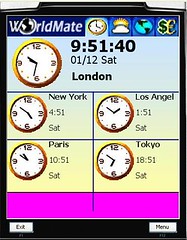
Worldmate

Worldmate
world mate
Mengetahui prakiraan cuaca di beberapa negara, bisa diupdate by GPRS. Nilai tukar mata uang. Jam dunia.
Download1(jar)
Download2(jar)
Download3(zip)

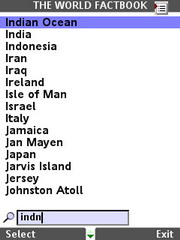
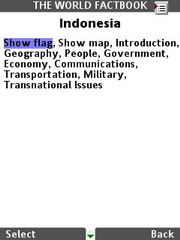
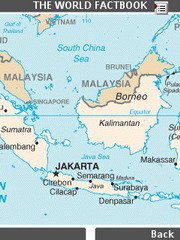
World FactBook

World FactBook 2007
wfb_1wfb_2wfb_3wfb_4
Berisi ttg data-data negara; bendera, peta, introduction, isu-isu terakhir, dsb

Download World Factbook 2007 untuk handphone java

Related Posts Plugin for WordPress, Blogger...

 
Design by Free WordPress Themes | Bloggerized by Lasantha - Premium Blogger Themes | Blogger Templates
Html Editing by Ireng Blog | Backlink by Danang Blog - Blog Dopping